
For nearly two decades, Apple has been notoriously critiqued for offering vanilla versions of products that don’t provide value for money. There has always been something for the consumer to complain about, and it has primarily been the infamous 60 Hz display on the flagship device.
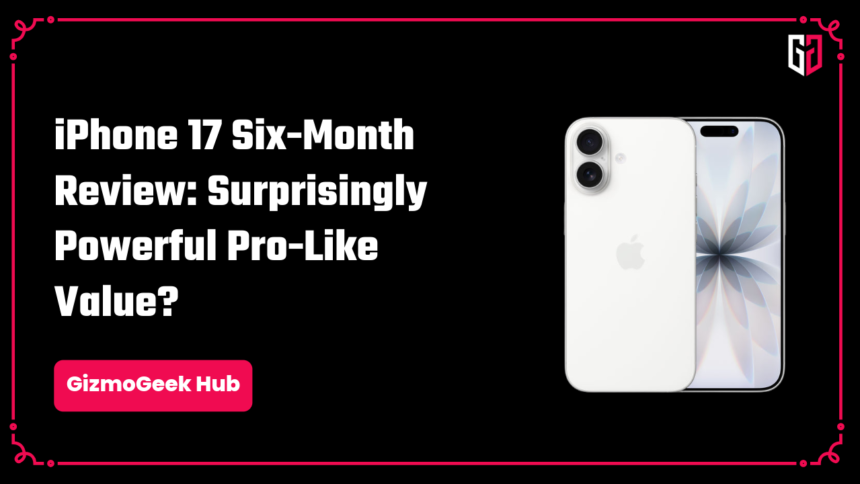
But Apple’s 2025 September iPhone release has been an absolute paradigm shift in the iPhone’s price-to-value ratio, and that is the iPhone 17, which I have been using since launch day, for over six months now, and to describe the iPhone 17 six-month review in two words, I’d say it is practically pro.
Design and Build
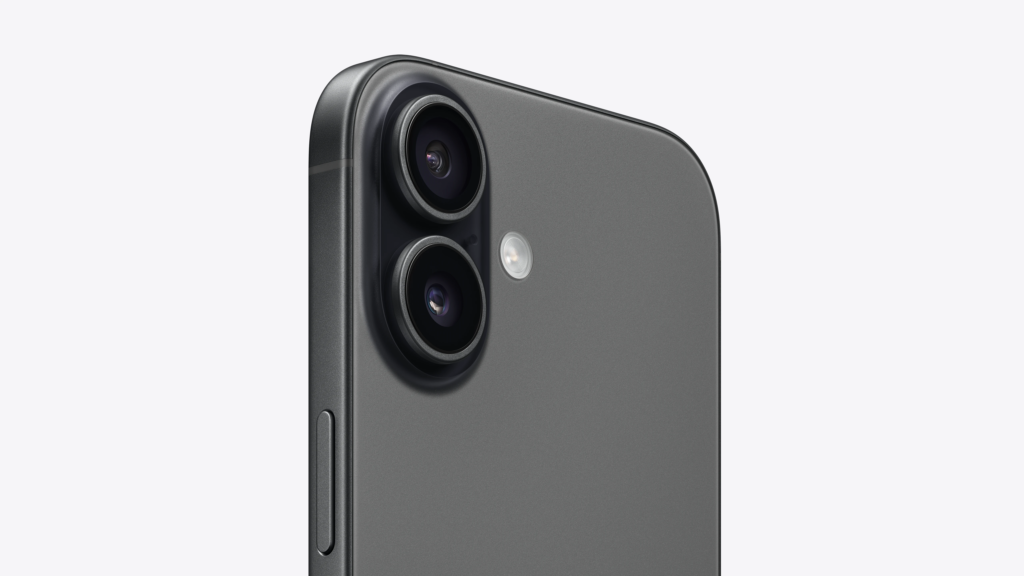
At first glance, the iPhone 17 looks identical to its predecessor. Unlike the upgrade from the 15 to the 16, there has been no change in the camera layout. The only physical differences are that the 17 has a 6.3” display, compared to the 16’s 6.1” display, and the base model now starts with 256 gigabytes of storage. Apart from that, all the other changes are within.
One of my most favourite aspects of this phone is the way it has been designed and engineered. The phone has a matte glass finish on the back, and is made with an aerospace-grade aluminium frame, which is surprisingly light at 177 grams.
The design of the phone introduces a dilemma: to go caseless or not, which I answer by rotating usage. I use my phone 90% of the time with a case and only sometimes, when I’m at home, without one. I have only used the phone caseless outside one time, and it might probably be the last, because without Apple Care+, a fall would cost a fortune.
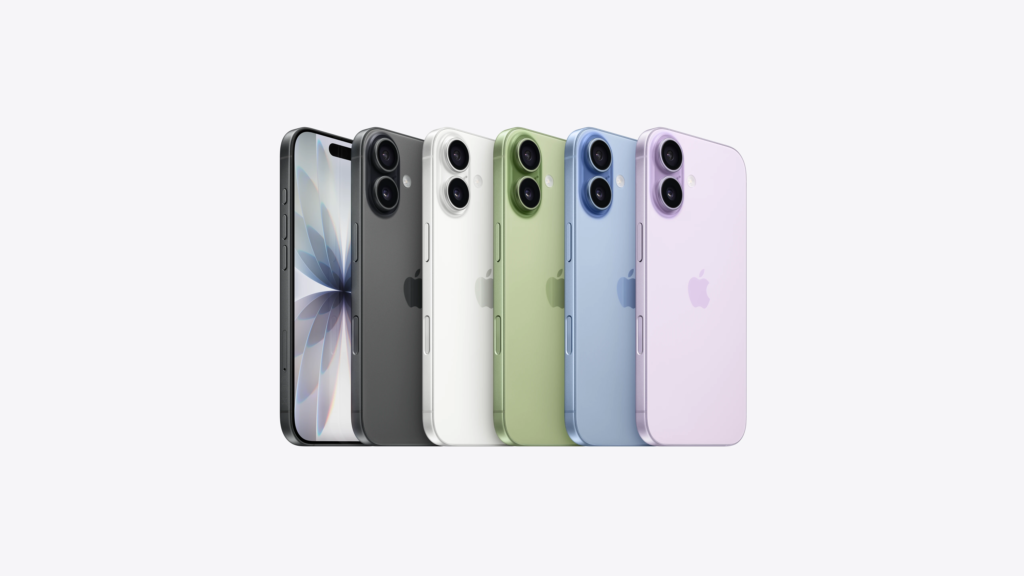
I went for the White finish, which gives off a timeless look. The other colour options include Black, and the newly introduced Mist Blue, Lavender and Sage. Fair warning: choosing a colour for this one is going to be quite a challenge, so decide on it if you’re considering picking one up.
Now, back to the case of the case, I have paired mine with a Spigen Liquid Air case, which, for me, makes the phone easier to hold, use, and keep on surfaces. I’d always recommend going with a case, but it is up to your preference.
Camera Control
The Camera Control button is one of Apple’s most interesting design choices, because it doesn’t add any real value to the phone. Unlike the Dynamic Island, which seamlessly blends into everyday usage, the Camera Control just doesn’t.
The biggest problem that I find while using it is that to capture a picture with it, you have to press on it, which causes somewhat of a shake; it requires more effort than pressing a big button on the screen. It also has somewhat of a learning curve; for instance, to change modes, between zooming, exposure, or aperture, you have to do a short-press twice. For shooting videos, you have to press and hold it, and when you let go, it stops.
It’s exactly why the Camera Control doesn’t make any sense. I’ve shot one short-film with an iPhone 16, and two with an iPhone 17, and me or my camera crew has never used the Camera Control button. You might use the button in the “honeymoon phase” of your purchase, but over time, you would forget that it exists.
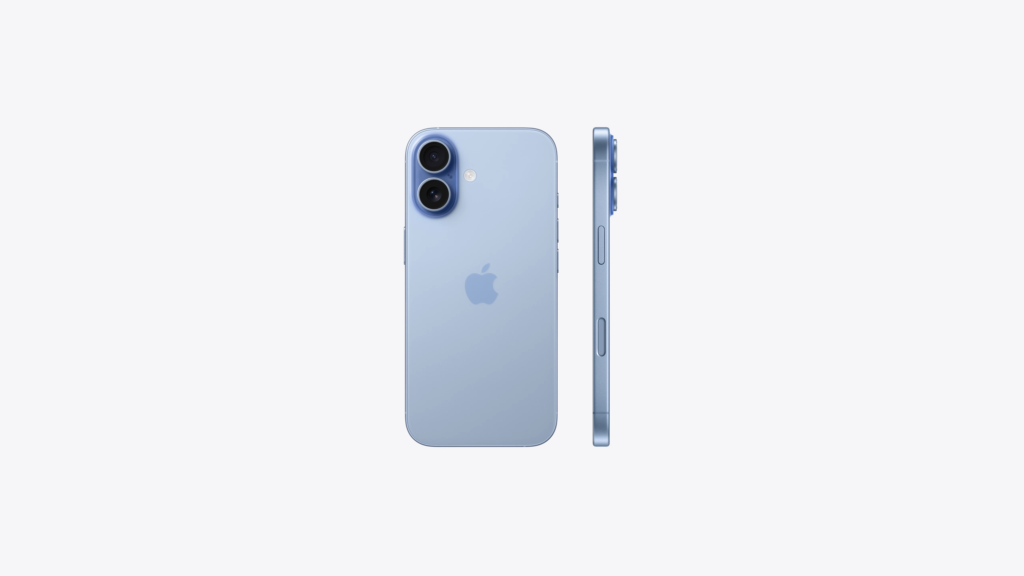
But the only good thing, the only thing of daily value that I see from the Camera Control button is that if you press it, outside the camera app, it instantly launches. In that sense, I’ve used it multiple times, especially to capture fleeting moments before they end. And it has been surprisingly helpful, to the extent that I have removed the camera app shortcut from my dock, homescreen and lockscreen.
Action Button
Introduced in 2023 with the iPhone 15 Pro, the Action Button replaced the iconic Apple ringer switch, which allowed you to put your phone on silent mode easily. The Action Button takes that to the next level. It is a button that you can set to do a variety of different actions. You can use it to switch to silent mode, set a custom focus mode, open the camera, use Visual Intelligence, turn on torch, record a voice memo, use Shazam to recognise music, translate, magnify, control center controls, accessibility feature, or use shortcuts to remap it into virtually anything.
I use it to switch focus modes to Do Not Disturb. It has been one of the most underrated yet useful features for me. I use it almost every day, because it is something necessary, and the Action Button has made it really simple. A subtle press of the button makes my iPhone, MacBook and Apple Watch instantly go into DND mode. By a focus mode add-on, I can also make it turn on silent mode. So by the press of a button, calls, messages, and notifications, nothing comes up.
Display
The biggest and most desired upgrade to the base iPhone was the introduction of ProMotion, a 120 Hz LTPO panel that offers objectively smoother scrolling and interaction throughout the UI. Pairing that with an OLED display, it looks wonderful. Additionally, the bezels are extremely thin at just 1.44 mm on the top and bottom and 1.41 mm on the sides, which gives off a virtually bezel-less design that is a marvel to hold.
Owing to the OLED display, the blacks look superlatively dark, such that using the device in dark mode will make you feel like it does not have any bezels at all. This makes the device great for content consumption except for the Dynamic Island, which partially blocks the content. It may not be the perfect device for content consumption, but it gets the job done.
On that note, the speakers are very loud, and sometimes they sound louder than my MacBook’s speakers. It makes the device great for listening to music or watching YouTube videos at home.
Apart from ProMotion, another addition is the Ceramic Shield 2 display, making it highly resistant to scratches. Despite the technology present, I find myself always using a matte screen protector. While I can’t comment on how effective the new display technology is, I have heard from other users that it is rather effective, and actually stands true to the claims. Further, Apple also introduced an anti-glare display with the iPhone 17 series. Again, I use a matte-finish screen protector, which itself reduces somewhat of the glare. But in the early days of using the phone, I can say that a good portion of the glare is reduced.
However, it does not remove glare in its entirety; you might experience some glare while using the phone in bright lighting with low brightness.
That brings me to the brightness of the display. The screen can get really bright, with an outdoor peak brightness of 3000 nits. I’ve used the phone in harsh sunlight, and the visibility has been fine for me.
Dynamic Island
One of Apple’s finest design marvels is the Dynamic Island, a symphony of hardware and software. It might look like an annoying, screen-real-estate-consuming good-for-nothing pill to you, but it actually reimagines the way you interact with the display.
If you’re playing music or any media and exit the app, the media will jump smoothly to the Dynamic Island, from where you can pause or skip your media. Similarly, if you’ve requested an Uber or food delivery, the status of the request would show up on the Dynamic Island, including how long it is going to take. This works for a lot of first-party and third-party apps, and is honestly a very good way of making the camera hole useful. What makes it ever so satisfying is its clean animations. It is infinitely more useful than the old notch.
Battery
Here comes the fun part. The 17 houses a 3692 mAh battery, which I’d rate as average. It isn’t anything special; I find myself charging the phone twice daily. My use mainly includes Instagram, a lot of calls, especially on WhatsApp, and some content consumption.
With this usage, the phone has averaged 5.5–6 hours on a single charge. And from my use case, Instagram has almost always been the heaviest battery drainer. Again, I’ve heard reports from users who say the battery is excellent and gets 7-8 hours on a single charge with considerable use. But in my experience, it has not been the case. Maybe your experience will be different, and the battery backup might be different for you as well.
I won’t lie, I do have battery anxiety with this device when I go outside. While it has never died on me, it has forced me to use it in low power mode. Low power mode considerably makes the phone laggy, which again has been refuted by users online. I’m speaking from my experience. One time, when the iPhone was on low power mode, I wasn’t even able to open the phone app to save someone’s number without it lagging, forcing me to turn it off. It also restricts your screen to 60 Hz, which is a night and day difference compared to 120 Hz.
The phone does support MagSafe charging, and lets you use MagSafe powerbanks which would come in handy when you’re outside and on low battery.
In the case of battery health, the iPhone 17 has a lithium-ion battery like any other iPhone, and it degrades over time. To slow the degradation, I follow the 20–80 charging habit, where I set a charge limit on the phone that makes the battery cap at 80%; meaning it won’t charge over the limit (but it occasionally does charge to 100%, especially when kept overnight) and I try my best to not let the phone go below 20%. The reason is that constant charging to 100% and usage at low battery levels put more strain on the battery, and it makes it degrade faster.
My battery health stood at 100%, surprisingly, for nearly 235 charge cycles, six months out of the box. Ironically, the battery health fell to 99% while I was working on this review, and oddly enough, further fell to 98% just a few days after, which I’d attribute to my poor charging habits lately; constantly letting it reach ~5% before plugging it in. Now, I don’t always keep the battery limit at 80%, I set it to 100% whenever I leave the house. Because trust me, every percent of battery matters in the real world.
Software and Performance
I’ve been a fan of iOS for a long time. What drew the hard line between Android and iOS was the stability. A few years ago, it was a rare sight to see a bug on iOS, but with iOS 26, a bug is a daily occurrence. iOS 26 does have considerably more bugs than past iOS versions, but it does give you the “iOS feel” that you might be seeking.
I’m a fan of Liquid Glass. It’s beautiful, looks good, adds aesthetic and charm to the software. The Liquid Glass icons are perfect for a person who wants to keep the phone minimal, reducing flashy app icons. This update has changed the design language of the system all across the board. Some might find it refreshing, a change for the times; some might find it less Apple-like. I subscribe to the former; I find it a good change, though you might not, which I respect.
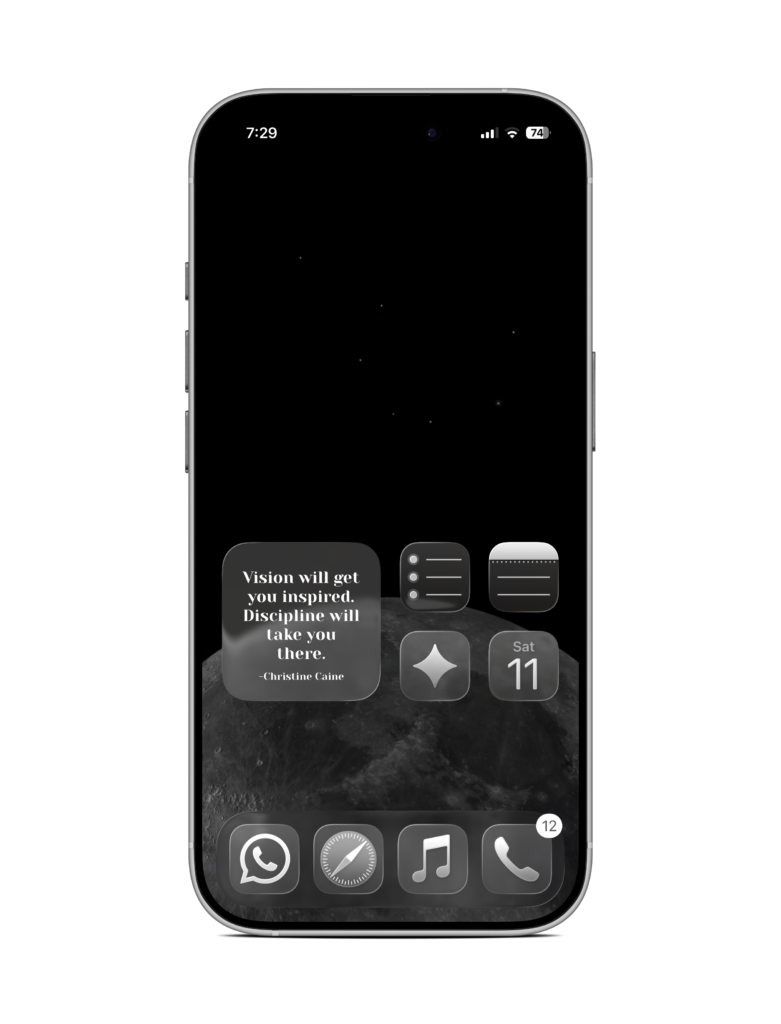
What I’m concerned about is its usability on older devices, because it does require a lot of rendering. That isn’t a problem for the iPhone 17’s A19 chipset. To address basic usage concerns, the A19 chipset is more than enough for any use you might have. It can even handle AAA games perfectly fine. From the processor standpoint, it’s great. It does heat up, which in my case came from camera use. I’m not a very big gaming enthusiast, but I occasionally play eFootball, which is a graphically demanding football game.
I often play it with a WhatsApp call in the background, but sometimes without it. What I’ve noticed is battery drains rather quickly while playing it, and it heats up sometimes, but zero lag.
A fine benefit of using iOS is the app quality. It is simply better than that on Android. The apps look good, feel good, and work well; granted, it is optimised for iOS. Social Media apps primarily benefit from this. Uploading to Instagram from an iPhone gives the media much higher quality than uploading from an Android would. A similar case is Snapchat. App quality is certainly something you’d notice if you switch to iPhone or away from iPhone.
You’d note these app quality differences mostly in the built-in Apple apps, like Music, Calendar, Mail, Notes, Reminders, Podcast, and Safari, which, by the way, work extremely well with the iPhone and MacBook. I’ve replaced half of Google and other apps with Apple defaults because, for me, they just work.
Just to note that app availability might be a problem for you if you use very niche and indie apps, because the chance is low that the app you might need would be on the Apple App Store. This is mostly because publishing on the Google Play Store is easier and cheaper, whereas publishing on the App Store is comparatively more expensive.
Apple Intelligence
One of Apple’s most disappointing releases ever is undoubtedly Apple Intelligence. Introduced with the iPhone 16, the entire phone was marketed around it. Its official tagline might be the worst one the iPhone has ever gotten, being “Built for Apple Intelligence.”

An year later, Apple Intelligence on the iPhone 17 is mostly a gimmick. The entire selling point of it was a brand-new Siri, built around personal context, that would use information from the user to give them a more personalised experience. But it was delayed due to problems encountered during development. It was later said to be released with iOS 26.4 in March, but was again delayed, potentially to iOS 27.
Also heavily marketed is the Clean Up feature, which uses AI to remove something in a picture you clicked. Now, it is not as good as what Samsung offers in Galaxy AI. Partially because Galaxy AI uses cloud processing, meaning whenever you edit a photo, it sending to Samsung’s cloud, processes the edit there, and gives it back to you. But Apple Intelligence is on-device, meaning it doesn’t send your details to Apple’s cloud.
The drawback here is that the Clean Up feature on Apple Intelligence is objectively worse compared to Galaxy AI’s object removal. Clean Up can do very simple removals, like a small item in the background. But anything major, it is going to distort your image. But I’ve used it a few times, and it sometimes surprisingly works. But it is definitely a hit-or-miss, no guarantees.
Other than that, Apple Intelligence offers something known as “Visual Intelligence”, which can be opened either using an Action Button shortcut or by long-pressing the Camera Control button outside of the camera app. It is basically Google Lens, but worse. It does exactly what Lens does, but is slower and doesn’t have as many features. You can point it at things, and make it ask ChatGPT what it is. For example, point it at a flower, and it will recognise it for you. You can further question ChatGPT, and also get similar images from Google and Pinterest. I’ve practically never used it.
Another thing is Genmoji, which is similar to Google’s Emoji Kitchen, where entering two emojis would give you a combination, which you could use as a sticker. Genmoji is similar and even better in this regard. You can combine two emojis and use AI to make it however you want. For example, you could combine a smile emoji and a hand emoji, and ask Genmoji to make it “shout”; it would give you a shouting emoji, and you can use this emoji directly in chat if you use iMessage. Otherwise, you can use it as a sticker in, say, WhatsApp.
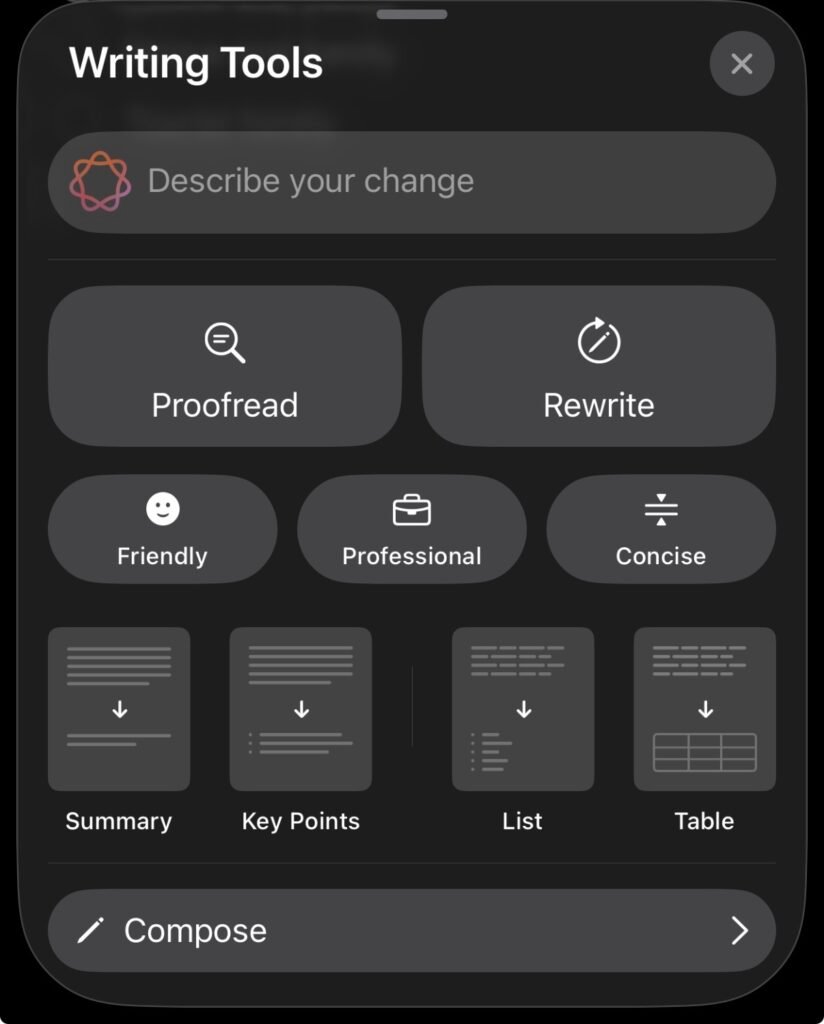
The most useful thing about Apple Intelligence is the Writing Tools. Essentially, it uses AI to write or rewrite your message, change the tone, convert it into a summary, list, table, or its key points. But the only thing I ever use Writing Tools for is the Proofread option. It does wonders. All it does is it points our grammatical or punctuation errors, and it corrects them for you. It comes in handy, as it might point out mistakes that you missed while proofreading.
Additionally, a subtle but useful feature is notification summary, wherein if you have multiple messages from an app, it would summarise the content for you. The same works in Apple Mail. It is also useful because it lets in message that “May be important” break the Do Not Disturb focus.
Ecosystem
Perhaps the primary reason for me to get the iPhone 17 was the Apple Ecosystem because it works so well. I use an M2 MacBook Air, along with the iPhone 17 and an Apple Watch SE 3. The iPhone and the MacBook can use AirDrop to transfer files almost instantly and wirelessly, even files measuring in the gigabytes. Also, iCloud works like a charm to transfer files, notes, reminders, calendar, and a whole lot of other things. Universal clipboard allows me to copy something on my MacBook and paste it on my iPad. And “Import from iPhone”, I can scan a document, take a picture, or draw a signature directly to my MacBook.
Being honest here, the scan a document feature sometimes gives up on you. In one instance, while I was scanning a document onto the MacBook, it just disappeared, forcing me to scan it again. And it happened two or three times, forcing me to give up.
Camera
The camera has to be one of the best things about this device, though with a drawback, it does not have a dedicated zoom lens, something that its elder sibling proudly flaunts. The iPhone 17 has two 48MP lenses, a wide angle and an ultrawide angle.
Before I dive into the camera review, I must say that buying this phone has caused me to take a lot more pictures than I’ve ever taken. You could find me taking random pictures because it’s that quick and easy to pull out this phone and take pictures.
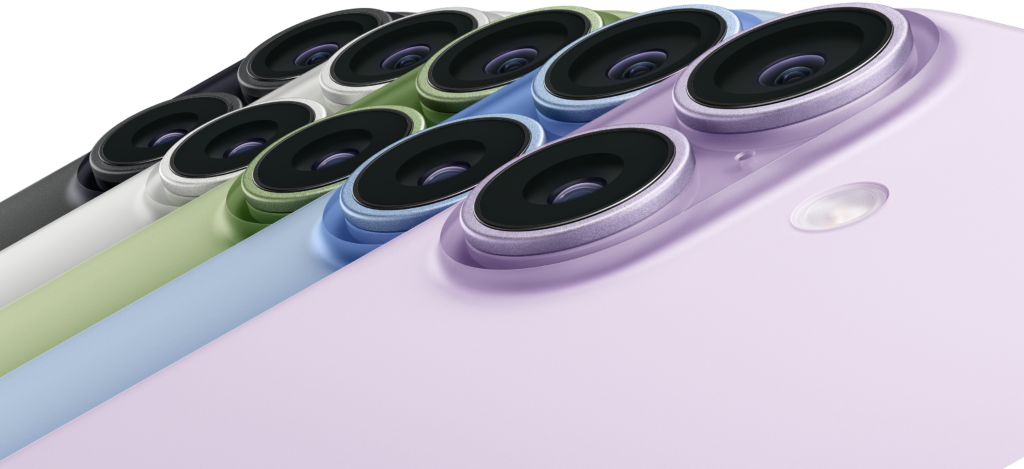
This time around, Apple has introduced something that they call a “Fusion” lens, wherein they claim 2x shots from the wide angle lens to have optical lens quality. Basically, it’s an advanced, highly optimised sensor cropping that preserves the details of the pictures, making it good enough to look like it was clicked on a 2x telephoto lens. And it lives up to its name. Nearly 90% of the pictures that I take are in 2x, and it’s excellent. Whether it be shots of flowers, of people, or of architecture. The pictures have a very high amount of detail and are ready for sharing on social media.





Also, something to know is that night photography is great on the iPhone 17. It can make pictures taken in dim lighting conditions usable. I tested it on the beach at night, which, as you’d assume, would be pretty dark. But the result? It looks like art, something that was drawn on canvas, which to me makes the image much more beautiful.

The ultrawide lens is actually brilliant for two reasons: one, it offers seamless lens transitioning during videos, so you can go from 1x to 0.5x very smoothly, and I always find myself switching to the ultrawide lens while taking videos; and two, because of its amazing quality. If you take an ultrawide shot, the details are preserved excellently. In certain scenarios, when I take UW images with notes or text in the background, it is perfectly readable upon zooming. I must say, I am very impressed by the ultrawide lens, and it has to be one of the finest ones you can find on smartphones.

The iPhone 17 also features a macro mode, which allows you to go very close to subjects, for taking images of insects, or intricate details of flowers or plants. It is not a mode, per se, like portrait, but it’s a little flower icon that automatically pops up, you can click on it, and you’ll enter macro mode. It makes use of the ultrawide lens, allowing you to take photos without worrying about the minimum focus distance. This is as opposed to the telemacro found on phones like the vivo X300, the iPhone makes use of ultrawide macrophotography. It might not be as good as the former, but it gets the job done.
A thing to note is that while using this mode, it is very important that your hands must be very still, momentarily holding your breath is actually necessary to not get a shaky photo.


The selfie-camera has been redesigned, and is actually a unique and useful feature on the 17 lineup. It now features an 18MP square sensor, with center stage, that can adapt to different frames.
The logic behind why this new selfie camera is useful is simple: when you are taking a group selfie, you’d typically rotate your phone, and then take it. The problem with that is our eyes don’t look at the camera most of the time, we look at ourselves, which ends up making the selfie look awkward, as in your eyes would be looking somewhere else, and also it’s rather difficult to manoeuvre your phone and hold it sideways.
This is where the iPhone 17’s selfie camera comes into play. The sensor, owing to its square shape, allows you to hold your phone vertically, which is easier, and your eyes would look more natural, and take a horizontal shot. This makes it extremely useful for YouTube vloggers because they don’t have to hold the phone sideways anymore, they can hold it vertically and get perfectly fine horizontal videos ready to upload on YouTube.
Owing to the sensor and “Center Stage”, if multiple people are in the frame, the camera detects it automatically and becomes ‘ultrawide’, basically increasing the size of the frame. Also, during video calls, it automatically follows your face. If you’re moving around, the video will also move around, focusing on your face. It happens smoothly and is quite useful. If you find it annoying, it can be turned off.
For some reason, Apple introduced dual video capture with the iPhone 17 (plus Air) lineup, meaning you can record a video from the rear camera as well as the front camera at the same time. It shows the selfie camera in a small pop-up, which can be moved around, and has a smooth moving animation to it. Surprisingly, it took Apple so long to introduce such a seemingly simple feature, available on many Android phones for ages.
Coming to videography, what can I say? The iPhone is marvellous for taking videos. The main reason is the quality, videos look crisp, without any sort of blurring, and have very good depth during close-up shots. I write this with certainty because, as earlier mentioned, I’ve recorded two short-films with this device.
Now here’s the interesting part, there’s this thing called “Audio Mix”, which is an absolute lifesaver and game-changer for videographers. When we actually shot the films, we didn’t have any sort of audio equipment with us, so we had to use real-time speech in a school, which is a naturally noisy place. The Audio Mix feature isolates the speech from the background, and it makes it feel like it was shot in a professional studio. It virtually removes all the sound from the noisiest of places. Moreover, one of our short films was supposed to be black and white, and the iPhone Photos app has a black and white filter that instantly applies the effect over the video.
And if you have a MacBook, just go for the iPhone! While shooting the video, the Apple Ecosystem was working incredibly well. The video was taken on the iPhone 17. The camera feed was viewed on the Apple Watch SE 3 for direction, all wireless and instantaneous. The background noise was removed, and the black and white colours were applied to the iPhone. And it was AirDropped within seconds onto the MacBook and edited on iMovie. This setup is magic for novice filmmakers.
Expanding on what I said at the beginning of this section, a drawback with the camera is the lack of a telephoto lens. The sensor cropping is usable up to 3x, sometimes 4x. But beyond that, it is conventionally unusable. The zoom limit is 10x. But if you are someone who likes grainy pictures as an aesthetic, well, then, yes. It is, in fact, usable. I’ve taken a couple of 10x shots, which have turned out better than I expected. Honestly, if your photography is mainly wide, with a few 2x pictures, then it should be fine for you.
Another drawback is that the phone heats up a lot while using it for extensive videography. While shooting the short films, our crew often joke about how we could use the heating iPhone to cook something, because it does heat that much.
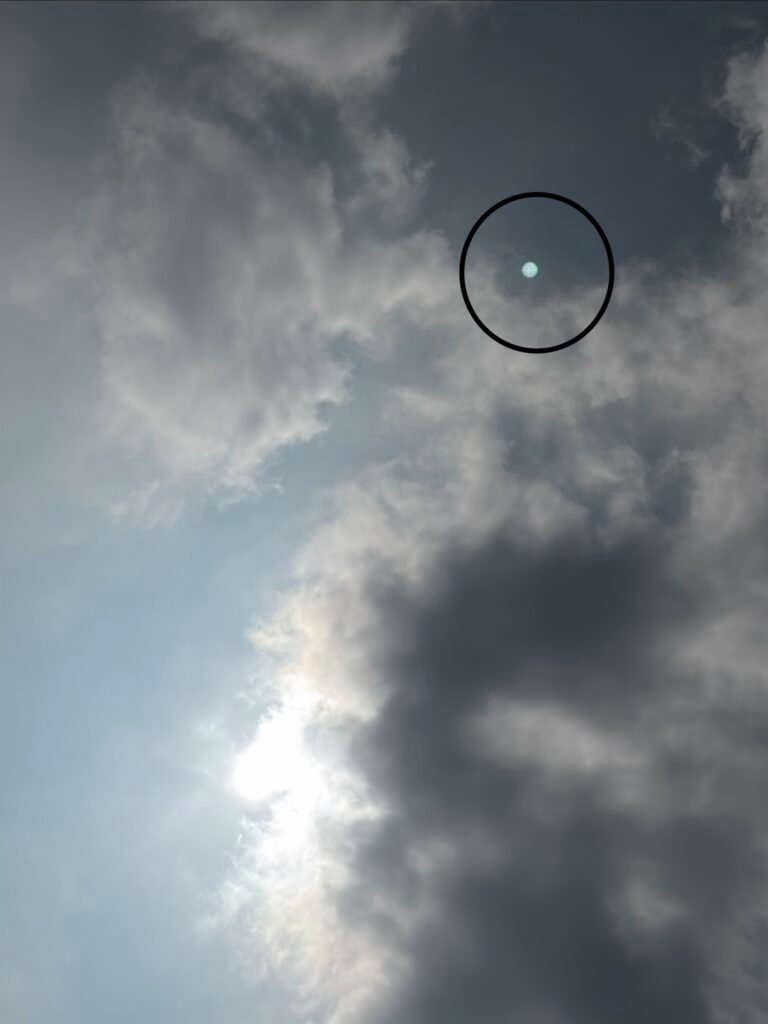
Now, the annoying thing with this camera is that it has a severe issue of lens flare, wherein shooting against a bright light will cause the picture or video to have a spot. Now, some might find this annoying, a fix is to use the healing tool on Snapseed, or just use Apple Intelligence to erase it. This happens when light reflects off the sensor or inside the image system. It’s a common issue in phones with complex lens systems.
Practically Pro
The base iPhone 17 is practically an iPhone 17 Pro. All it lacks is an extra telephoto lens and better videography features like 4K 120 fps, a better chipset, higher RAM, and an aluminium unibody design with vapor cooling system.
You might think all of these add up to a lot of differences, but for the user who doesn’t care about the best camera and the best gaming performance, and needs a phone that be used for everyday purposes, casual photography, casual gaming and social media usage, and is someone who uses a lot of Apple devices, then the iPhone 17 is the one to go.
For a whopping ₹53,000 less, you get most of the features that make an iPhone an iPhone. An iPhone is certainly something that you won’t regret, granted you choose the one based on your needs. The primary reason is that an iPhone works well for most of the things you would do, and it lasts long. An iPhone could easily last you 4–5 years, being a very useful companion in your life.
So, the iPhone 17, in all its glory, might lack a Pro at the end of its name, but by no means is it not a Pro. If this phone sounds like it would fit in your use case, then go right ahead. But if this doesn’t sound like your cup of tea, then there are a lot of interesting phones for you to try out in the Android world.
We hope you found this article helpful. Keep exploring GizmoGeek Hub for more tech news, stories, and reviews that will keep you informed about the latest trends and advancements in technology. We aim to provide detailed and unbiased reviews, thorough tutorials, and current news to help you enhance your tech knowledge and skills. Continue reading GizmoGeek Hub for more articles and reviews. Follow us on YouTube, X/Twitter, Instagram, LinkedIn, WhatsApp and Telegram Channel to stay updated on the newest news, announcements, and behind-the-scenes content.
Request – As a new site, we largely depend on ad revenue to support our operations. Please consider turning off any ad blockers you use when visiting our website. Viewing ads helps us continue delivering the high-quality content you enjoy. Your support is very important to us and helps keep GizmoGeek Hub running smoothly. We sincerely appreciate your ongoing support, and thank you for sticking with us!